How to Use IF Function in Excel
4 years ago
43
IF function comes in handy when you need to evaluate a logical condition and quickly find out whether it is true or false. In this tutorial, you’ll see how the function IF helps evaluate whether the sales for a particular month met the goal that had been set. If yes, Excel will display the message ‘Goal Achieved’. If the condition comes out as false, a horizontal stroke will show instead of the message.
Loading comments...
-
 13:26
13:26
user329
4 years agoVLOOKUP FUNCTION IN EXCEL / SPREADSHEET
38 -
 5:38
5:38
Subjectmoney.com
4 years ago $0.01 earnedExcel COUNTIF Function Tutorial: Excel 2016 Range Criteria Greater Than
76 -
 5:02
5:02
user329
4 years agoPIVOT FUNCTION
27 -
 7:50
7:50
Math Videos
4 years agoFunction Notation
31 -
 5:05
5:05
Math Videos
4 years agoFunction Domain
38 -
 3:47
3:47
Kcc23
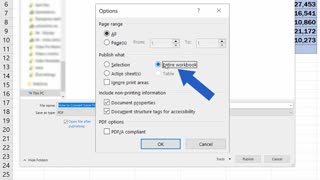
4 years agoExcel - How to Convert an Excel File into PDF
30 -
 47:44
47:44
Tucker Carlson
1 hour agoRupert Lowe Warns of the Globalist Agenda Destroying the West and the Revolution Soon to Come
3.7K39 -
 LIVE
LIVE
Sean Unpaved
2 hours agoWill Miami Be "ODD MAN OUT" Of The College Football Playoff? | UNPAVED
129 watching -
 2:04:26
The Culture War with Tim Pool
3 hours agoWoke Has INFECTED Goth, Punk, & Metal, MAGA Must Save the Art | The Culture War Podcast
85.3K37 -
 1:12:25
Steven Crowder
3 hours agoCNN Declares J6 Pipe Bomber White & Nick Fuentes Interview Reaction
210K201