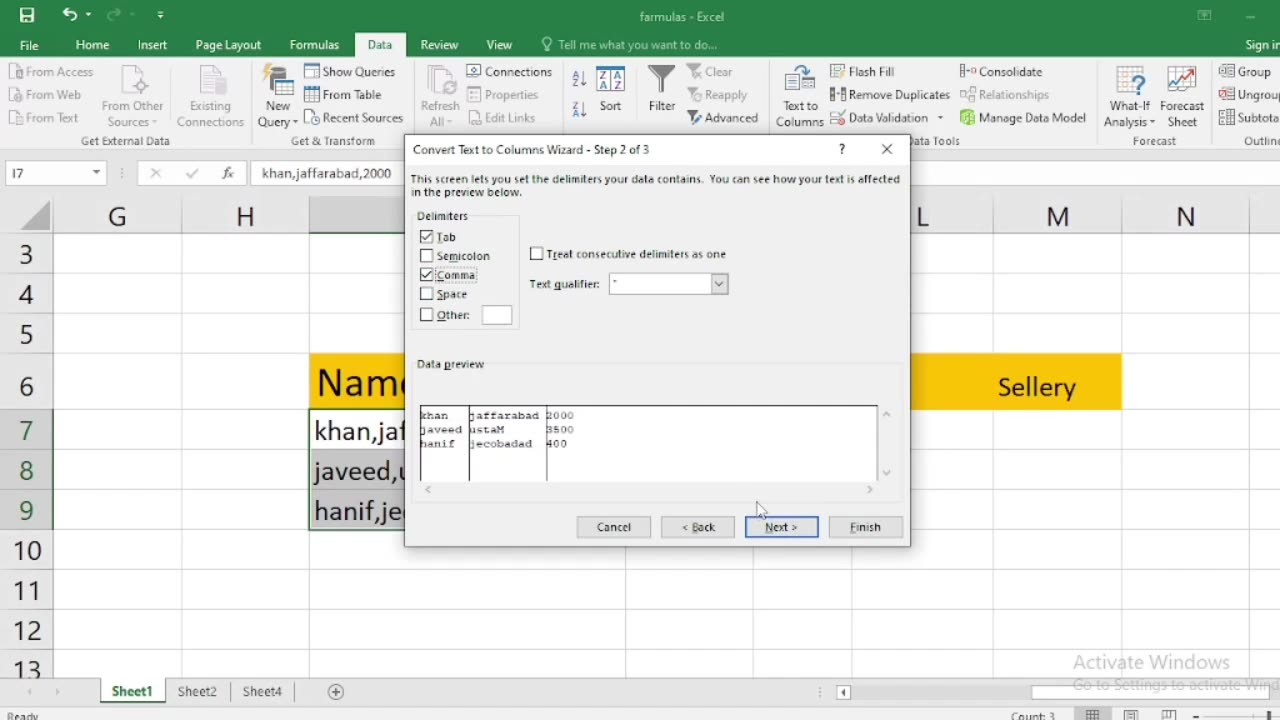
how to write name city or sallary in excel with one click
In Excel, you can use a feature called "AutoFill" to quickly fill down or across a series of names, cities, or salaries with just one click. Here's how to do it:
Enter Data: First, enter the initial data in the cell where you want to start the series. For example, if you want to create a list of names, you can start with the first name in cell A1.
Select the Cell: Click on the cell containing the data you want to fill. This will be the cell with the information you want to copy.
AutoFill Handle: Move your cursor to the small square at the bottom-right corner of the selected cell. When you hover over this square, your cursor will change to a black cross or a plus sign (+). This is called the AutoFill handle.
Drag or Double-Click: You have two options:
Drag: Click and hold the left mouse button on the AutoFill handle, and drag it down or across the cells where you want to copy the data. Release the mouse button when you've reached the desired destination.
Double-Click: If you want to quickly fill down a column or across a row, you can simply double-click the AutoFill handle, and Excel will automatically fill the adjacent cells with the data. It will continue filling until it encounters an adjacent cell with data in it.
AutoFill Options (Optional): After you release the mouse button or double-click the AutoFill handle, a small AutoFill Options icon may appear next to the filled cells. You can click this icon to access various options for how you want to fill the data, such as Fill Series, Fill Formatting Only, etc. Choose the appropriate option if needed.
Here's a breakdown of how to do this for different types of data:
Names: Enter the first name, select the cell, and then drag or double-click the AutoFill handle to fill down or across as needed.
Cities: Enter the first city, select the cell, and then drag or double-click the AutoFill handle to fill down or across as needed.
Salaries: Enter the first salary, select the cell, and then drag or double-click the AutoFill handle to fill down or across as needed. If you want to create a series of salaries (e.g., increasing by a fixed amount), enter the first two values, select both cells, and then drag the AutoFill handle.
This method works for any type of data where you want to create a series or copy information to adjacent cells with minimal effort.
-
 LIVE
LIVE
SOLTEKGG
1 hour agoLIVE - NOT LOSING A MATCH - NEW PC - !pc
265 watching -
 UPCOMING
ThatStarWarsGirl
1 hour agoTSWG LIVE: Stargate Is BACK! EFAPing Michael Shanks Interview with GUEST!!!
28 -
 LIVE
LIVE
MissesMaam
2 hours agoStardew Co-Op 💚✨
35 watching -
 1:32:46
Glenn Greenwald
4 hours agoHillary Blames TikTok for Anti-Israel Sentiment; MAGA Sycophants Gain Pentagon Press Access; Who Should Win Anti-Semite of the Year? See the Top 10 Finalists | SYSTEM UPDATE #552
85.9K64 -
 LIVE
LIVE
Flyover Conservatives
21 hours ago100% Chance the Grid Fails: Why No One Is Fixing It (and How Easy It Is) - Tommy Waller | FOC Show
315 watching -
 LIVE
LIVE
JDubGameN
2 hours agoStarlink Network Test Stream! | Road to 100 Followers
93 watching -
 2:17:31
The Daily Signal
5 hours ago $2.76 earned🚨BREAKING: Tennessee Congressional Election Results, Minneapolis Police to "Intervene" Against ICE,
7.02K6 -
 LIVE
LIVE
megimu32
1 hour agoON THE SUBJECT: Christmas Vacation Is UNTOUCHABLE!
136 watching -
 59:56
59:56
Sarah Westall
2 hours agoNeurostrike, Cognitive Targeting & the New Tech Arms Race w/ Professor Armin Krishnan
2.5K -
 2:52:28
Nikko Ortiz
4 hours agoNo More Gear Fear... | Rumble LIVE
11.7K1