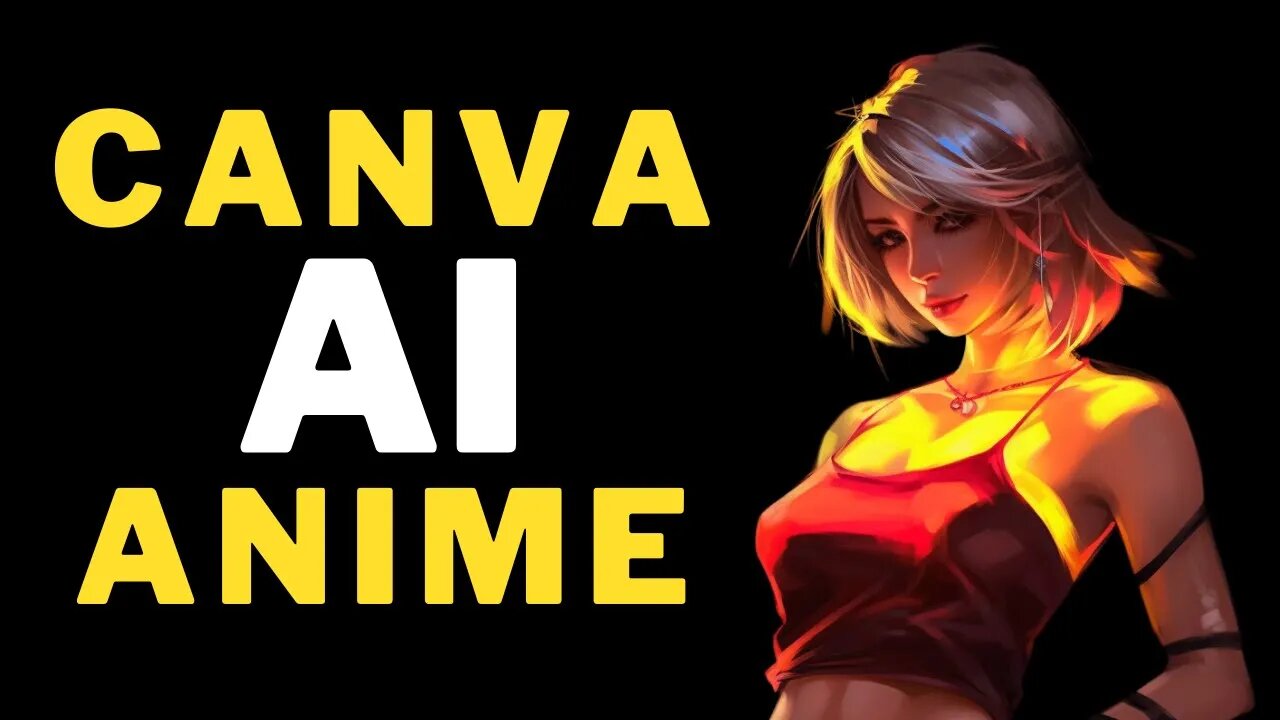
How to DRAW ANIME with CANVA AI and Use ChatGPT to MAKE MONEY from it
How to DRAW ANIME with CANVA AI and Use ChatGPT to MAKE MONEY from it #CanvaAI #chatgpt #makemoney #drawanime #canva #anime
Learn how to draw anime with CANVA AI and use ChatGPT to MAKE MONEY from it! This video is for anyone who wants to learn how to create and sell their own manga and anime drawings online.
With this drawing tutorial, you'll learn how to use CANVA AI to create high-quality manga and anime drawings. You'll also learn how to use ChatGPT to sell your drawings online, making money from your artistry! Whether you're a beginner artist looking to make some money, or a seasoned artist looking to expand your portfolio, this drawing tutorial is for you!
Learn the secrets to unlocking your creative potential with Canva AI and monetizing your art with ChatGPT. Use our step-by-step tutorial to create beautiful anime drawings and make money from them!
Canva AI Website : https://partner.canva.com/NKB9B7
How to Use ChatGPT : https://youtu.be/Dmi0x6ode1c
Zazzle Website : https://www.zazzle.com
How to Create Video like this using AI Video Editor : https://youtu.be/a7YJqd80joE
AI Tools Arena : https://aitoolsarena.com
AI Video Editor 1 : https://aitoolsarena.com/generative-video/free-ai-video-generator-create-realistic-avatar-video-with-chatgpt
AI Video Editor 2 : https://aitoolsarena.com/generative-video/movio-ai-video-generator
AI Video Editor 3 : https://aitoolsarena.com/generative-video/elai-io-ai-text-to-video-generator
Welcome back to my channel! Today, I'll show you how to draw anime using Canva AI and how to make money from it. Let's get started!
Part 1: Canva AI.
Step 1: Go to Canva.com and register for an account if you don't have one, (link in the description).
Step 2: Click on Discover Apps and select Text to Image. Create a new design with a custom size of 2500x3500 pixel
Step 3: Set the orientation to portrait. choose drawing style option. type your prompt description, and don't forget to add transparent white background text. Generate the image, then resize it.
Step 4: Download the image as PNG and make it twice its original size.
Part 2: Canva Background Remover
Step 1: Go back to the Canva dashboard and click on Discover Apps again, select Background Remover. Create a new design with a custom size of 2500x3500 pixel.
Step 2: Select Upload Section, resize your image, and click Edit Image. Choose BG Remover and wait for the process to complete.
Step 3: Download the image as PNG and make it twice its original size, then save it to your computer.
Part 3: Zazzle
Step 1: Go to Zazzle.com and register using Google, Facebook, Apple ID, or email. Once you've registered, click on "Sell" and "Start Selling Today." Verify your email to continue.
Step 2: Enter your store details and use ChatGPT to create a SEO-friendly description (watch my previous video on ChatGPT for more information , link in the description).
Step 3: Select "T-shirt" from menu, choose a category, type, and color, and click "Customize this Design."
Step 4: Upload your design, customize its size and position, and click "Done."
Step 5: Preview your design on the mockup, and if everything looks good, click "Sell It."
Step 6: Complete the product title, description, and tags using ChatGPT.
Step 7: Set your royalty percentage and click "Post It."
Don't forget to share your product on social media and complete your store data to improve your Zazzle search ranking. Thank you for watching, and see you in the next money-making video.
Video Chapter :
00:00 Opening How to Make Money Online 2023
00:10 Draw Anime Using Canva AI
01:37 Remove Image Backgroung with Canva
02:49 Make Money with ChatGPT and Zazzle
canva tutorial,make money online,etsy,canva pro,etsy digital products,canva ai,digital products,canva free,free canva pro,digital products to sell online,digital products to sell on etsy how to draw anime,chatgpt,make money,earn money,earn money online,anime drawing,using ai to make money,how to draw,how to draw anime girl,easy anime drawing,drawing tutorial,how to draw anime eyes,canva text to image,canva t shirt design,ai,canva,ai canva,zazzle
#canvatutorial #makemoneyonline #etsy #canvapro #etsydigitalproducts #canvaai #digitalproducts #canvafree #freecanvapro #digitalproductstosellonline #digitalproductstosellonetsy #howtodrawanime #chatgpt #makemoney #earnmoney #earnmoneyonline #animedrawing #usingaitomakemoney #howtodraw #howtodrawanimegirl #easyanimedrawing #drawingtutorial #howtodrawanimeeyes #canvatexttoimage #canvatshirtdesign #ai #canva #aicanva #zazzle
-
 8:20
8:20
AI Tools Arena
2 years ago $0.20 earnedNOW You Can Create Almost EVERYTHING With New Canva Magic Studio AI
2.23K -
 2:16:21
Side Scrollers Podcast
5 hours agoTwitch has a SERIOUS Problem + Leaflit’s VIRAL Interview + More | Side Scrollers
22K3 -
 LIVE
LIVE
Barry Cunningham
19 hours agoBREAKING NEWS: President Trump Hosts Cabinet Meeting & Makes MAJOR Announcement!
2,041 watching -
![Wall Street CRASHED Bitcoin DOWN To $80,000!! [Heres Proof] | EP 1389](https://1a-1791.com/video/fww1/dc/s8/1/G/E/S/E/GESEz.0kob-small-Wall-Street-CRASHED-Bitcoin.jpg) 1:31:03
1:31:03
Simply Bitcoin
3 hours ago $0.84 earnedWall Street CRASHED Bitcoin DOWN To $80,000!! [Heres Proof] | EP 1389
23.6K1 -
 27:09
27:09
ROSE UNPLUGGED
21 hours agoBridging the Divide: Joe Manchin on Politics, Principles, and People First
1.28K -
 1:02:19
Timcast
3 hours agoMedia MELTS DOWN Over New Media Pentagon Takeover
136K56 -
 2:04:40
Steven Crowder
6 hours agoWar Criminal Pete Hegseth: Debunking the Media's Newest BS Smear Campaign
463K297 -
 59:57
59:57
The Rubin Report
5 hours agoPress Gasps When Told Trump’s Brutal Plan for Venezuela
56.5K89 -
 4:19:56
Benny Johnson
5 hours ago🚨Trump Cabinet Meeting LIVE Now in White House As Somali Fraud EXPOSED, Third World Deportations
100K69 -
 1:16:36
Sean Unpaved
3 hours agoAbdul Carter BENCHED In First Quarter AGAIN | UNPAVED
12.8K