How to Restore Contacts on iPhone 14
✅ 【Detail】
⏰ 0:44 Option 1. Restore Contacts on iPhone from iCloud Backup
Please be noted that the synced data only be saved in iCloud for 30 days.
1. Go to Settings on your iPhone - Tap [your name] - Choose iCloud.
2. Turn off Contacts and select Keep on My iPhone. Turn on Contacts again and choose Merge.
To make the restore process more visible, you can also restore contacts to your iPhone from iCloud.com.
⏰ 1:13 Option 2. Restore Contacts on iPhone from iTunes Backup
Normally, if you backed up your iPhone to the computer using iTunes before the contacts are lost, you can restore contacts from it.
1. Connect your iPhone to the computer - Launch iTunes and tap the device icon.
2. Click on Summary - Choose the Restore Backup button to restore iPhone.
⏰ 1:37 AOMEI Data Recovery for iOS
If you fail to restore iPhone contacts with iCloud/iTunes backup, take it easy, you can rely on iPhone data recovery software to restore iPhone contacts without backup. AOMEI Data Recovery for iOS is highly recommended. You can recover not only contacts, but also photos, reminders, notes, and some other types of data you need. You can refer to the link in the description area to download it.
1. Run AOMEI Data Recovery for iOS on your computer - Connect your iPhone to the computer - Choose Scan Now to analyze the data on your iPhone.
2. All lost data on your iPhone will be listed, Click Contacts or any types of data you need, and click Recover to make it.
⏰ 2:20 FoneTool
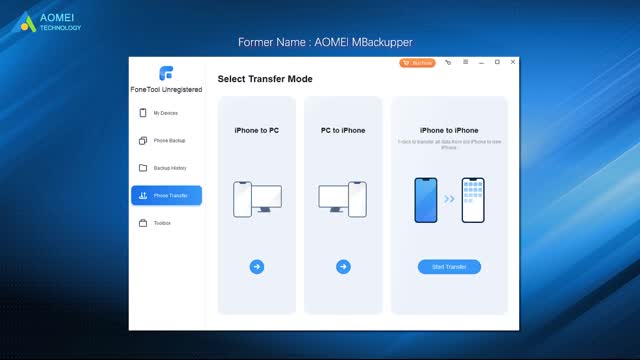
If you just want to back up iPhone contacts, you can try FoneTool to back up iPhone data selectively. As a free iPhone backup tool, FoneTool supports users in selectively or fully backing up and restoring photos, music, videos, contacts, and messages. Also, download it in the description area and follow the three steps to back up iPhone contacts at a fast speed.
1. Connect your iPhone to the computer - Launch FoneTool, and click Selective Backup from the homepage.
2. Choose Contacts to preview and select the contacts you want to backup - Click OK to confirm.
3. Choose a storage path to save the backup files - Click Start Backup to make it.
When it is finished, you can go back to the Backup Management page to browse, restore, and delete the backup.
-
 2:55
2:55
Canadian Crooner
2 years agoPat Coolen | Christmas Blues
25.5K1 -
 LIVE
LIVE
The Bubba Army
20 hours agoPHOTOS REVEALED FROM EPSTEIN ISLAND! - Bubba the Love Sponge® Show | 12/04/25
3,077 watching -
 28:09
28:09
ZeeeMedia
12 hours agoGovt. ‘Media Bias Offender’ Tip Line, International Pedophile Ring Arrests | Daily Pulse Ep 155
26.3K32 -
 LIVE
LIVE
Pickleball Now
2 hours agoLive: IPBL 2025 Day 4 | High-Stakes Clashes Ignite the Court at the Indian Pickleball League
283 watching -
 37:25
37:25
Nikko Ortiz
14 hours agoTerrible Military Deaths and War Crimes
16.7K10 -
 16:36
16:36
Actual Justice Warrior
14 hours agoCollege Girl DESTROYS New York Democrats
13.1K15 -
 24:14
24:14
DeVory Darkins
1 day agoTrump announces HISTORIC WIN for American families as Costco launches shocking lawsuit
33.1K69 -
 20:31
20:31
Actual Justice Warrior
1 day agoOxford Student Who Celebrated Charlie Kirk's Murder Plays Victim
7.01K10 -
 23:40
23:40
Code Blue Cam
14 hours agoMan Celebrates Independence Day by Losing His Freedom
16.5K7 -
 58:39
58:39
MattMorseTV
11 hours ago $34.49 earned🔴Rand Paul just made a BIG MISTAKE.🔴
70.4K167