How to Login to D.Buzz
D.Buzz
https://d.buzz
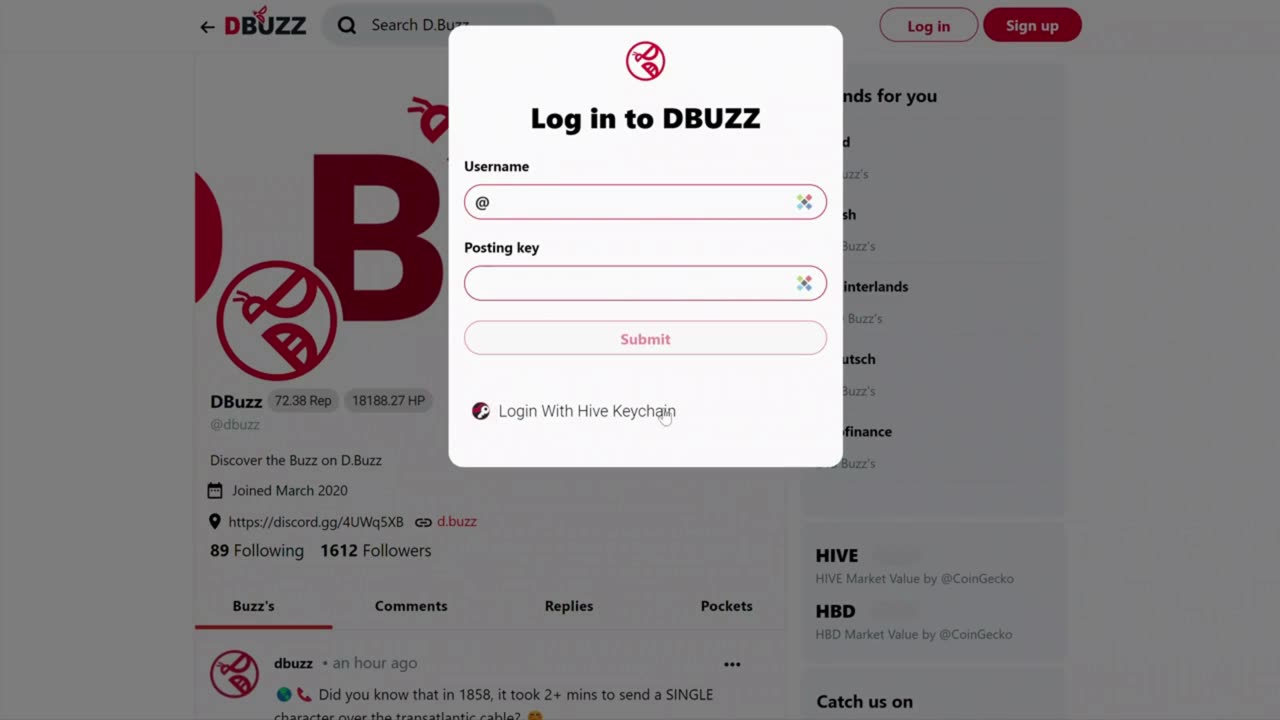
1. In this tutorial, we'll walk you through the steps to log in to DBuzz on your desktop:
2. First, open a web browser and navigate to the D.Buzz homepage.
In the top left-hand corner of the page, you should see a "Log In" button.
3. Click the "Log In" button to proceed.
4. Next, enter your username in the designated field. Note that you don't need to include the "@" sign.
5. You have two options for logging in at this point:
- Option 1: If you have your posting key, enter it into the field provided. You would have received this key when you signed up for DBuzz.
- Option 2: Use the Hive Key Chain app if you've installed it in your browser. This is the recommended method for the most secure way to log in.
6. After you've selected your preferred login method, click the "Submit" button.
Congratulations - you're now logged in to DBuzz!
-
 1:50
1:50
D.Buzz | Free Speech Platform
4 years agoD.Buzz Features: View The Latest Posts
461 -
 LIVE
LIVE
Benny Johnson
2 hours agoTrump Launches MASSIVE CRIMINAL Investigation Into Somali Fraud, Tim Walz PANIC: They Stole Billions
4,797 watching -
 LIVE
LIVE
Barry Cunningham
15 hours agoBREAKING NEWS: President Trump Hosts Cabinet Meeting & Makes MAJOR Announcement!
1,007 watching -
 LIVE
LIVE
Professor Nez
21 minutes agoTrump Just Made his MOST IMPORTANT Decision as President
126 watching -
 LIVE
LIVE
LFA TV
14 hours agoLIVE & BREAKING NEWS! | TUESDAY 12/02/25
4,381 watching -
 1:00:17
VINCE
3 hours agoThe Truth Behind Those Drug Boat Strikes | Episode 179 - 12/02/25 Vince
150K103 -
 LIVE
LIVE
Nikko Ortiz
1 hour agoThe Coldest Place On Earth... | Rumble LIVE
190 watching -
 LIVE
LIVE
Badlands Media
11 hours agoBadlands Daily – December 2, 2025
4,048 watching -
 LIVE
LIVE
Viss
1 hour ago🔴LIVE - The Arc Raider Duo That Changed Everything - Viss w/ Hambino
224 watching -
![[MnK] Let's Dominate Solo Lobbies](https://1a-1791.com/video/fwe2/07/s8/1/Y/4/Q/E/Y4QEz.0kob-small-MnK-Lets-Dominate-Solo-Lobb.jpg) LIVE
LIVE
GloryJean
1 hour ago[MnK] Let's Dominate Solo Lobbies
131 watching